
Spring Boot 整合 Spring Security 构建安全 Web 应用
在 Spring Boot 项目中整合 Spring Security 的完整流程。内容涵盖 Maven 依赖配置、基于 SecurityFilterChain 的现代安全配置方法、自定义 UserDetailsService 实现用户认证、控制器路由设置以及登录登出流程测试。文章还补充了密码加密策略、错误页面定制及会话管理等进阶建议,旨在帮助开发者快速构建安全的 Web 应用基础架构。

在 Spring Boot 项目中整合 Spring Security 的完整流程。内容涵盖 Maven 依赖配置、基于 SecurityFilterChain 的现代安全配置方法、自定义 UserDetailsService 实现用户认证、控制器路由设置以及登录登出流程测试。文章还补充了密码加密策略、错误页面定制及会话管理等进阶建议,旨在帮助开发者快速构建安全的 Web 应用基础架构。

Spring Security 是一个功能强大的身份验证和访问控制框架,专为 Spring 应用程序设计。它提供了全面的安全服务,包括身份验证(Authentication)、授权(Authorization)、攻击防护(如 CSRF、会话固定)等。本文将详细介绍如何在 Spring Boot 应用程序中整合 Spring Security,构建一个安全可靠的 Web 应用基础架构。
首先,需要在项目的 pom.xml 文件中引入必要的依赖。除了 Spring Security 核心模块外,通常还需要引入 Web 启动器以支持 Web 请求处理。
<dependencies>
<!-- Spring Boot Web Starter -->
<dependency>
<groupId>org.springframework.boot</groupId>
<artifactId>spring-boot-starter-web</artifactId>
</dependency>
<!-- Spring Security -->
<dependency>
<groupId>org.springframework.boot</groupId>
<artifactId>spring-boot-starter-security</artifactId>
</dependency>
<!-- Thymeleaf (可选,用于模板渲染) -->
<dependency>
<groupId>org.springframework.boot</groupId>
<artifactId>spring-boot-starter-thymeleaf</artifactId>
</dependency>
</dependencies>
在 Spring Boot 2.x/3.x 版本中,推荐使用 SecurityFilterChain Bean 来替代已废弃的 WebSecurityConfigurerAdapter 类。这种方式更加灵活且符合函数式编程风格。
创建一个配置类 SecurityConfig:
import org.springframework.context.annotation.Bean;
import org.springframework.context.annotation.Configuration;
import org.springframework.security.config.annotation.web.builders.HttpSecurity;
import org.springframework.security.config.annotation.web.configuration.EnableWebSecurity;
import org.springframework.security.crypto.bcrypt.BCryptPasswordEncoder;
import org.springframework.security.crypto.password.PasswordEncoder;
import org.springframework.security.web.SecurityFilterChain;
@Configuration
@EnableWebSecurity
public class SecurityConfig {
@Bean
public SecurityFilterChain filterChain(HttpSecurity http) throws Exception {
http
.authorizeHttpRequests(auth -> auth
// 允许匿名访问首页和登录页
.requestMatchers("/", "/home", "/login", "/css/**", "/js/**").permitAll()
// 其他所有请求需要认证
.anyRequest().authenticated()
)
// 配置表单登录
.formLogin(form -> form
.loginPage("/login")
.permitAll()
.defaultSuccessUrl("/home", true)
)
// 配置登出
.logout(logout -> logout
.logoutUrl("/logout")
.logoutSuccessUrl("/")
.invalidateHttpSession(true)
.deleteCookies("JSESSIONID")
)
// 启用 CSRF 保护
.csrf(csrf -> csrf.disable()); // 开发环境可暂时禁用,生产环境建议启用
return http.build();
}
@Bean
public PasswordEncoder passwordEncoder() {
return new BCryptPasswordEncoder();
}
}
配置说明:
authorizeHttpRequests: 定义 URL 的访问权限规则。formLogin: 启用默认表单登录,指定登录页面路径及成功跳转地址。logout: 定义登出行为,包括登出 URL 和登出后跳转地址。PasswordEncoder: 使用 BCrypt 算法对密码进行加密存储。Spring Security 通过 UserDetailsService 接口加载用户详细信息。我们需要实现该接口,从数据库或内存中获取用户数据。
import org.springframework.security.core.authority.SimpleGrantedAuthority;
import org.springframework.security.core.userdetails.User;
import org.springframework.security.core.userdetails.UserDetails;
import org.springframework.security.core.userdetails.UserDetailsService;
import org.springframework.security.core.userdetails.UsernameNotFoundException;
import org.springframework.stereotype.Service;
import java.util.Collections;
@Service
public class CustomUserDetailsService implements UserDetailsService {
@Override
public UserDetails loadUserByUsername(String username) throws UsernameNotFoundException {
// 实际项目中应从数据库查询用户信息
// 此处为模拟数据演示
if (!"admin".equals(username)) {
throw new UsernameNotFoundException("用户不存在");
}
// 使用 BCrypt 加密后的密码示例
String encodedPassword = "$2a$10$Nz9X2Y5Z8v6q7k4m5p6rR.uVwXyZ1aBcDeFgHiJkLmNoPqRsTuVw";
return User.withUsername(username)
.password(encodedPassword)
.authorities(Collections.singletonList(new SimpleGrantedAuthority("ROLE_USER")))
.build();
}
}
注意: 在实际生产环境中,应连接数据库查询用户表,并使用 PasswordEncoder 验证密码是否匹配。
创建简单的控制器来处理页面跳转逻辑。
import org.springframework.stereotype.Controller;
import org.springframework.web.bind.annotation.GetMapping;
@Controller
public class HomeController {
@GetMapping("/")
public String index() {
return "index";
}
@GetMapping("/home")
public String home() {
return "home";
}
@GetMapping("/login")
public String login() {
return "login";
}
@GetMapping("/hello")
public String hello() {
return "hello";
}
}
在 src/main/resources/templates 目录下创建对应的 HTML 文件(如使用 Thymeleaf),确保包含基本的表单结构以配合 Spring Security 的登录拦截器。
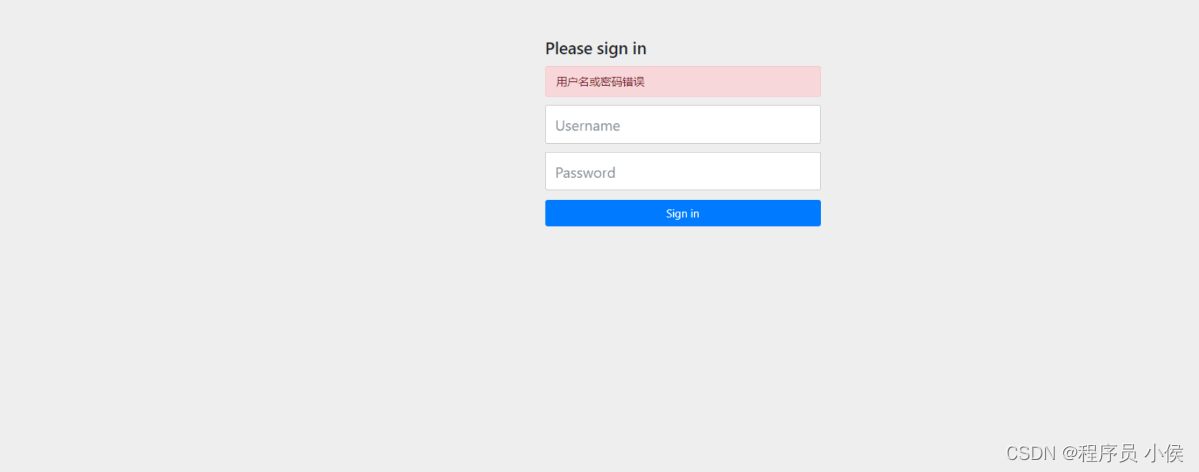
完成上述配置后,运行 Spring Boot 主程序。访问 http://localhost:8080,系统会自动重定向至 /login 页面。
admin。BCrypt 工具生成)。/home 页面。/hello 等受保护资源,未登录状态下将被拦截。当用户无权访问或发生认证错误时,可以配置自定义错误页面提升用户体验。
.exceptionHandling(ex -> ex
.accessDeniedPage("/error/403")
.authenticationEntryPoint((req, res, authEx) -> res.sendRedirect("/error/401"))
);
防止会话固定攻击,设置会话超时时间。
.sessionManagement(session -> session
.maximumSessions(1)
.maxSessionsPreventsLogin(false)
.expiredUrl("/login?expired")
);
始终使用强哈希算法(如 BCrypt、Argon2)存储密码,严禁明文存储。在初始化用户数据时,务必调用 passwordEncoder.encode() 方法。
本文详细讲解了如何在 Spring Boot 中集成 Spring Security,涵盖了依赖引入、安全配置、用户服务实现、控制器映射以及运行测试等关键步骤。通过合理的配置,可以快速为 Web 应用建立起完善的身份验证与授权机制。在实际项目中,还需结合业务需求进一步细化权限控制、对接 OAuth2 或 JWT 等高级特性。

微信公众号「极客日志」,在微信中扫描左侧二维码关注。展示文案:极客日志 zeeklog
查找任何按下的键的javascript键代码、代码、位置和修饰符。 在线工具,Keycode 信息在线工具,online
JavaScript 字符串转义/反转义;Java 风格 \uXXXX(Native2Ascii)编码与解码。 在线工具,Escape 与 Native 编解码在线工具,online
使用 Prettier 在浏览器内格式化 JavaScript 或 HTML 片段。 在线工具,JavaScript / HTML 格式化在线工具,online
Terser 压缩、变量名混淆,或 javascript-obfuscator 高强度混淆(体积会增大)。 在线工具,JavaScript 压缩与混淆在线工具,online
将字符串编码和解码为其 Base64 格式表示形式即可。 在线工具,Base64 字符串编码/解码在线工具,online
将字符串、文件或图像转换为其 Base64 表示形式。 在线工具,Base64 文件转换器在线工具,online