跳到主要内容
《Agent Runtime 工程化》手写一个 100 行 Agent Loop | 极客日志
编程语言 Agent Runtime TypeScript Tool Calling Agent Loop ReAct
《Agent Runtime 工程化》手写一个 100 行 Agent Loop 手写一个 100 行 Agent Loop 写 Agent Loop,最容易犯的错,是一上来就接真实模型。 你以为自己在调 runtime,其实你在同时调三件事: 这三件事混在一起,调试会很痛苦。模型没调用工具,你不知道是 prompt 不
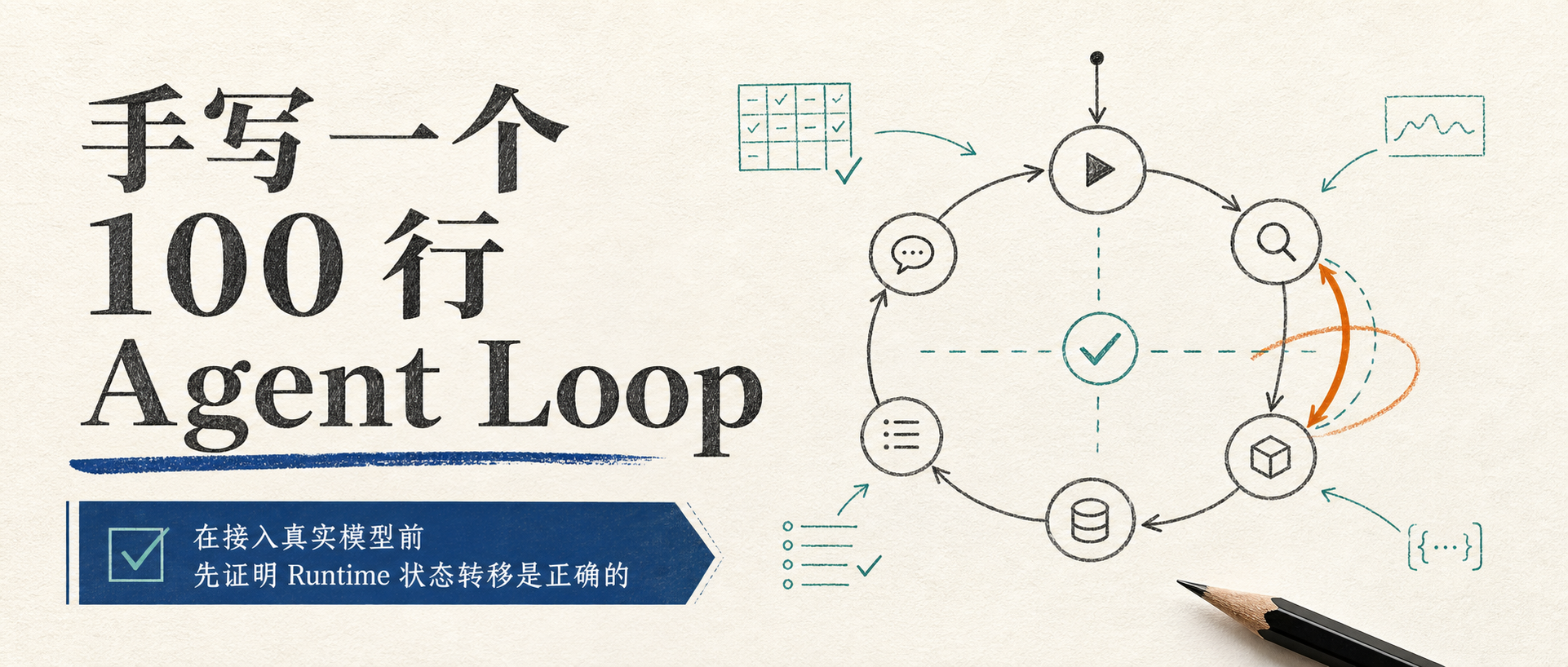
手写一个 100 行 Agent Loop
写 Agent Loop,最容易犯的错,是一上来就接真实模型。
你以为自己在调 runtime,其实你在同时调三件事:
模型行为是否稳定
工具 schema 是否写清楚
runtime 状态转移是否正确
这三件事混在一起,调试会很痛苦。模型没调用工具,你不知道是 prompt 不行,schema 不行,还是 loop 没把工具暴露出去。工具参数错了,你不知道是模型填错,还是本地校验太松。最终回答胡说,你也不知道它到底有没有看到工具结果。
所以我建议第一版 Agent Loop 不接真实模型。
先用一个 fake model。
没那么酷,但很稳。
100 行能写什么,不能写什么
先把话说清楚:100 行写不出生产级 Agent Runtime。
生产级系统还要有权限、trace、checkpoint、context budget、MCP、eval、sandbox、cost control。那些不是 100 行能糊出来的。
但 100 行可以写出一个干净骨架:
Runtime 有自己的消息类型。
Model 只返回 final 或 tool calls。
ToolRegistry 负责找工具和校验工具。
ToolResult 是结构化的。
Loop 每一步都留下 step。
达到 final 或 maxSteps 时能停止。
这就够了。
一个好骨架,后面能长出工程能力。一个坏骨架,后面所有东西都是补丁。
从类型开始,不要从 SDK 开始
ReAct 论文讲的是 reasoning 和 acting 交替。OpenAI 的 function calling 文档也把工具调用描述成一个多步过程:模型提出 tool call,你执行工具,再把工具结果交回模型。LangChain JS 文档里也说,agent 会在 loop 中调用工具直到任务完成。LangGraph 则把状态、节点和边显式化,让 agent 流程更容易控制。
这些说法方向一致:Agent Loop 的关键不是'调用一次模型',而是'模型和外部世界之间有受控 roundtrip'。
所以第一步不要直接拿 provider SDK 的消息结构当内部类型。
先定义自己的中间表示:
type ToolCall = {
id : string ;
name : string ;
input : unknown ;
};
type ModelResponse =
| { kind : "final" ; text : string }
| { kind : "tool_calls" ; calls : ToolCall [] };
type ToolResult = {
callId : string ;
toolName : string ;
status
"ok"
"error"
content
string
errorCode
string
metadata
durationMs
number
outputChars
number
truncated
boolean
retryable
boolean
type
RuntimeMessage
role
"user"
content
string
role
"assistant"
content
string
toolCalls
ToolCall
role
"tool"
toolResult
ToolResult
这些类型看上去普通,但它们决定了 runtime 的边界。
模型可以换。工具可以换。Provider 字段名可以换。Runtime 自己的语言不要跟着飘。
ToolRegistry 不只是一个 Map const tools = new Map <string , Function >();
type ToolDefinition = {
name : string ;
description : string ;
validate (input : unknown ): string [];
execute (input : unknown ): Promise <ToolResult >;
};
class ToolRegistry {
private tools = new Map <string , ToolDefinition >();
register (tool : ToolDefinition if (this .tools .has (tool.name )) {
throw new Error (`Tool already registered: ${tool.name} ` );
}
this .tools .set (tool.name , tool);
}
list (return [...this .tools .values ()].sort ((a, b ) =>
a.name .localeCompare (b.name )
);
}
plan (call : ToolCall const tool = this .tools .get (call.name );
if (!tool) return { call, errors : ["UNKNOWN_TOOL" ] };
const errors = tool.validate (call.input );
return { call, tool, errors };
}
}
工具不存在,不能直接执行。
参数不合法,不能直接执行。
工具列表有稳定顺序,方便后面 prompt cache 和 trace。
先写 fake model fake model 的作用,是让 loop 可复现。
比如用户说'看看这个 workspace',fake model 第一步固定调用 list_files 和 read_file,第二步根据工具结果返回 final。
class FakeModel {
async complete (messages : RuntimeMessage []): Promise <ModelResponse > {
const hasToolResult = messages.some ((m ) => m.role === "tool" );
if (!hasToolResult) {
return {
kind : "tool_calls" ,
calls : [
{
id : "call_1" ,
name : "list_files" ,
input : { path : "." },
},
{
id : "call_2" ,
name : "read_file" ,
input : { path : "README.md" },
},
],
};
}
return {
kind : "final" ,
text : "已读取目录和 README,可以继续分析项目入口。" ,
};
}
}
正因为不智能,它适合测试 runtime。你能稳定断言:第一步应该调用两个工具,第二步应该 final。等这个闭环跑通,再接真实模型。
100 行 Loop 骨架 下面是一份教学版骨架。为了能放进文章里,我省掉了文件系统实现、schema 库、trace writer 和真实 provider adapter,只保留主线。
type StopReason = "final" | "max_steps" ;
type RunState = {
userGoal : string ;
messages : RuntimeMessage [];
steps : {
index : number ;
modelResponse ?: ModelResponse ;
toolResults : ToolResult [];
stopReason ?: StopReason ;
}[];
finalAnswer ?: string ;
};
async function runAgent (input : {
userGoal: string ;
model: { complete(messages: RuntimeMessage[]): Promise <ModelResponse> };
tools: ToolRegistry;
maxSteps: number ;
}const state : RunState = {
userGoal : input.userGoal ,
messages : [{ role : "user" , content : input.userGoal }],
steps : [],
};
for (let i = 1 ; i <= input.maxSteps ; i++) {
const response = await input.model .complete (state.messages );
const step = {
index : i,
modelResponse : response,
toolResults : [] as ToolResult [],
stopReason : undefined as StopReason | undefined ,
};
if (response.kind === "final" ) {
state.finalAnswer = response.text ;
state.messages .push ({ role : "assistant" , content : response.text });
step.stopReason = "final" ;
state.steps .push (step);
return state;
}
state.messages .push ({
role : "assistant" ,
content : "" ,
toolCalls : response.calls ,
});
for (const call of response.calls ) {
const plan = input.tools .plan (call);
if (!("tool" in plan) || plan.errors .length > 0 ) {
const result : ToolResult = {
callId : call.id ,
toolName : call.name ,
status : "error" ,
errorCode : plan.errors [0 ] ?? "UNKNOWN_TOOL" ,
content : `工具调用失败:${plan.errors.join(", " )} ` ,
metadata : {
durationMs : 0 ,
outputChars : 0 ,
truncated : false ,
retryable : true ,
},
};
state.messages .push ({ role : "tool" , toolResult : result });
step.toolResults .push (result);
continue ;
}
const startedAt = Date .now ();
const result = await plan.tool .execute (call.input );
result.callId = call.id ;
result.toolName = call.name ;
result.metadata .durationMs ||= Date .now () - startedAt;
state.messages .push ({ role : "tool" , toolResult : result });
step.toolResults .push (result);
}
state.steps .push (step);
}
state.steps .push ({
index : input.maxSteps + 1 ,
toolResults : [],
stopReason : "max_steps" ,
});
return state;
}
严格数行,这段会因为格式化略微超过 100 行。别在这里较真。真正重要的是,它已经有了 runtime 的基本骨架。
这个骨架比 while loop 多了什么 while (true ) {
const response = await model (messages);
const results = await callTools (response.toolCalls );
messages.push (response, ...results);
}
第一,ModelResponse 有明确分支。模型要么 final,要么 tool calls。Runtime 不靠字符串猜。
第二,工具调用先经过 ToolRegistry.plan()。未知工具和非法参数会变成 observation,而不是让执行器崩。
第三,ToolResult 结构化。模型看到 content,工程系统看到 errorCode、duration、truncated、retryable。
第四,step 被保存下来。后面接 trace、eval、resume 都有入口。
第五,停止原因存在。哪怕现在只有 final 和 max_steps,后面也能扩展 budget_exhausted、permission_denied、repeated_error。
这几个字段没有演示效果,但它们决定后面能不能工程化。
最小工具怎么写 const listFiles : ToolDefinition = {
name : "list_files" ,
description : "List files under a workspace path." ,
validate (input ) {
if (!input || typeof input !== "object" ) return ["INPUT_NOT_OBJECT" ];
if (typeof (input as any ).path !== "string" ) return ["PATH_REQUIRED" ];
return [];
},
async execute (input ) {
const path = (input as any ).path ;
const content = `模拟目录 ${path} :\nREADME.md\nsrc/index.ts` ;
return {
callId : "" ,
toolName : "list_files" ,
status : "ok" ,
content,
metadata : {
durationMs : 0 ,
outputChars : content.length ,
truncated : false ,
retryable : false ,
},
};
},
};
真实实现当然要检查 workspace、隐藏 .git、限制输出大小。教学版先把接口跑通。
第二个工具可以是 read_file。同样先用模拟内容:
const readFile : ToolDefinition = {
name : "read_file" ,
description : "Read a small text file from workspace." ,
validate (input ) {
if (!input || typeof input !== "object" ) return ["INPUT_NOT_OBJECT" ];
if (typeof (input as any ).path !== "string" ) return ["PATH_REQUIRED" ];
return [];
},
async execute (input ) {
const path = (input as any ).path ;
const content = `文件 ${path} :\n这是一个 Agent Runtime demo。` ;
return {
callId : "" ,
toolName : "read_file" ,
status : "ok" ,
content,
metadata : {
durationMs : 0 ,
outputChars : content.length ,
truncated : false ,
retryable : false ,
},
};
},
};
但它能测试一件很关键的事:模型提出工具调用,runtime 校验,工具返回 observation,模型再基于 observation final。
先跑通四个用例 case 1:模型调用 list_files,工具成功,下一轮 final。
case 2:模型调用 unknown_tool,runtime 返回 UNKNOWN_TOOL。
case 3:模型传错参数,runtime 返回 PATH_REQUIRED。
case 4:模型一直不 final,runtime 因 max_steps 停止。
尤其是 unknown tool 和 invalid args。很多 demo 遇到这两个问题会直接 throw,然后你以为是'模型不稳定'。其实是 runtime 没把错误变成模型能理解的 observation。
和书里的 demo 怎么对应 demo/src/types.ts 定义了 Runtime 自己的语言:RuntimeIds、ToolCall、ToolResult、RuntimeMessage、RunStep、RuntimeEvent。
demo/src/runtime.ts 里的主循环顺序是:
context
  ↓
model
  ↓
validate
  ↓
permission
  ↓
execute
  ↓
observe
  ↓
checkpoint
demo/src/tools/tool-registry.ts 说明 ToolRegistry 不只是 Map,它还承担本地校验和治理信息。
demo/src/providers/scripted-provider.ts 则是 fake model。它让 eval 可以稳定断言 Agent 是否调用了正确工具、是否被审批、是否完成写入和测试。
换句话说,文章里的 100 行不是最终代码。它是书里完整 demo 的缩小版。
接真实模型前,再问自己几个问题 在接 OpenAI、Anthropic 或其他模型前,先问:
Runtime 是否有自己的 ModelResponse 类型?
工具调用是否先经过 ToolRegistry?
非法参数是否变成 ToolResult,而不是 throw 出 loop?
ToolResult 里有没有 errorCode、truncated、retryable?
每个 step 有没有记录?
maxSteps 是否生效?
final answer 是否只在模型明确 final 时返回?
fake model 的四个 case 是否都跑过?
否则真实模型只会把 runtime 自己的问题放大。
最后 手写 Agent Loop 的价值,不是证明'框架都没用'。
框架当然有用。LangGraph、LangChain、OpenAI Agents SDK 都在解决真实问题。
手写一遍的价值在于:你会知道框架帮你管了什么,也知道它没管什么。
模型说了什么?
工具调了什么?
参数是否合法?
结果怎么写回?
什么时候继续?
什么时候停止?
出错后模型看到什么?
工程师留下什么证据?
这几个问题想清楚,你就不再只是把 tool calling 示例复制进项目。
参考资料
推荐阅读 相关免费在线工具 HTML转JSX 将 HTML 片段转为 React JSX 风格(className、自闭合标签、花括号转义);复杂样式与事件需人工调整。 在线工具,HTML转JSX在线工具,online
Base64 字符串编码/解码 将字符串编码和解码为其 Base64 格式表示形式即可。 在线工具,Base64 字符串编码/解码在线工具,online
Base64 文件转换器 将字符串、文件或图像转换为其 Base64 表示形式。 在线工具,Base64 文件转换器在线工具,online
Markdown转HTML 将 Markdown(GFM)转为 HTML 片段,浏览器内 marked 解析;与 HTML转Markdown 互为补充。 在线工具,Markdown转HTML在线工具,online
HTML转Markdown 将 HTML 片段转为 GitHub Flavored Markdown,支持标题、列表、链接、代码块与表格等;浏览器内处理,可链接预填。 在线工具,HTML转Markdown在线工具,online
JSON 压缩 通过删除不必要的空白来缩小和压缩JSON。 在线工具,JSON 压缩在线工具,online